




An AI assistant that answers from your documents is usually built with retrieval-augmented generation (RAG). Your documents are split into passages and indexed; when someone asks a question, the system retrieves the most relevant passages and asks a language model to answer using only those, with citations back to the source. Done well, it gives accurate, checkable answers from your own knowledge. Done carelessly, it gives confident answers from the wrong paragraph. This guide walks through each step and the decisions that make the difference.
Key takeaways
- Retrieval quality decides answer quality. If the right passage is not found, the model cannot use it.
- Citations are a feature, not decoration. They let users verify answers and let you debug them.
- Permissions belong in retrieval. Filter what each user can see before anything reaches the model.
- Evaluate continuously. A fixed set of real questions with known answers is your quality gate.
How RAG works, in plain terms
Language models do not know your internal documents, and retraining a model every time a policy changes is impractical. RAG avoids that by looking things up at question time. There are two halves:
- Indexing (done ahead of time): collect documents, extract clean text, split it into chunks, convert each chunk into an embedding (a numerical representation of its meaning), and store the chunks with their embeddings and metadata.
- Answering (done per question): embed the question, retrieve the most similar chunks, and give them to the model with instructions to answer only from them and cite where each claim came from.
Step 1: Ingest documents properly
Garbage in still means garbage out. PDFs with scanned pages need OCR; tables need to keep their structure; headers, footers and navigation text should be removed so they do not pollute every chunk. Keep useful metadata with each document: title, section, date, owner, version and access rights. Decide how updates work too. When a policy changes, the old version must leave the index, or the assistant will happily quote it.
Step 2: Chunk with the content in mind
Chunks need to be small enough to retrieve precisely and large enough to make sense on their own. As a reference point, OpenAI’s file search defaults to 800-token chunks with a 400-token overlap, and makes both configurable. In practice, splitting along the document’s own structure (headings, sections, list items) usually beats fixed sizes, because each chunk then covers one idea.
A chunk that says “this applies to all contractors” is useless if it does not say which policy it belongs to. Anthropic’s research on contextual retrieval addresses this by adding a short description of the surrounding document to each chunk before indexing; they report it reduced failed retrievals by 49 percent in their experiments, and by 67 percent when combined with reranking. Your results will depend on your documents, but the principle of keeping context with each chunk holds.
Step 3: Retrieve with more than one signal
Embedding search finds passages with similar meaning, which handles paraphrased questions well. It is weaker on exact identifiers: product codes, clause numbers, people’s names. Keyword search such as BM25 is strong exactly there. Most production systems combine both (hybrid search) and then rerank the top results with a model that scores how well each passage answers the question. Retrieve generously, then rerank and keep the best few.
Step 4: Generate grounded, cited answers
The prompt should tell the model to answer only from the provided passages, to cite each passage it uses, and to say plainly when the passages do not contain the answer. Show citations in the interface as links to the exact source section. This is what turns a chatbot into a tool people can trust: they can check, and when an answer is wrong, you can see whether retrieval or generation failed.
Step 5: Enforce access permissions
If different users may see different documents, permission checks must happen at retrieval time, not after the answer is written. Store access information on every chunk and filter searches by the current user’s rights, so restricted text never reaches the model for that user. Supabase documents one way to do this in RAG with permissions, using row-level security on the chunks table. Also remember that retrieved documents can contain text designed to manipulate the model; prompt injection is the first item on the OWASP LLM Top 10.
Step 6: Evaluate before and after launch
Collect 50 to 100 real questions with known correct answers and the documents that support them. For each, check two things separately: did retrieval find the right passages, and was the answer correct and properly cited? Rerun the set whenever you change chunking, models or prompts. After launch, review a sample of real conversations and add new failure cases to the set. Without this loop, changes feel like improvements without evidence that they are.
Reducing made-up answers
- Instruct the model to refuse when the sources do not support an answer, and test that it does.
- Require citations for every factual claim, and check them in evaluation.
- Prefer fewer, more relevant passages over many loosely related ones.
- For high-stakes domains, show sources prominently and keep a person in the loop for decisions.
The limits of RAG, and simpler alternatives
| If your situation is… | Consider instead |
|---|---|
| Users want to find a document, not an answer | Good search with filters and previews |
| A few dozen short, stable FAQs | A well-written FAQ or help centre |
| Questions need calculations over structured data | Database queries or reporting, with AI to explain |
| Answers depend on combining many documents | RAG plus a more deliberate multi-step workflow |
| Content changes every minute | Live API lookups rather than an index |
RAG is strongest for large, text-heavy knowledge that changes occasionally: policies, manuals, contracts, product documentation and research. If you are adding AI more broadly, start with how to add AI to an existing business application.
A real-world example
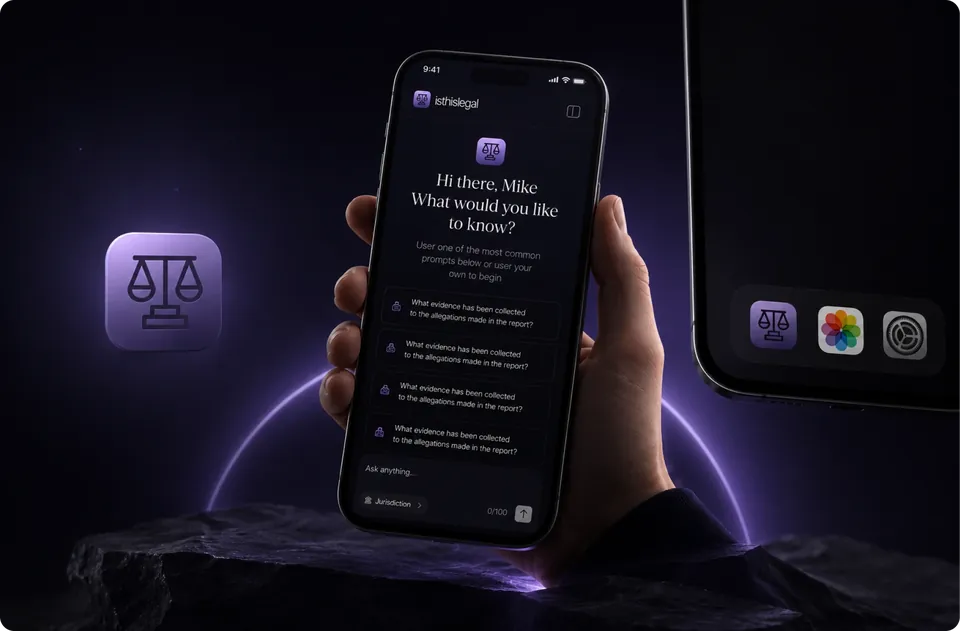
Our isthislegal case study describes a live AI legal research platform built for a law firm, where people ask questions in plain language, choose the jurisdiction, and get structured answers drawn from the firm’s vetted sources, with conversations kept private to each user. It shows how retrieval, permissions and a careful interface come together in a product where accuracy and confidentiality matter.