




Zaity
Car care, relaunched for Saudi drivers.
Zaity is a car maintenance app that keeps track of services, mileage, fuel and costs so drivers never miss an oil change. The app already existed, but it was not winning drivers over. We redesigned and rebuilt it from the ground up and relaunched it with a new face, Arabic-first and built for the Saudi market.
- Industry
- Automotive / Mobile App
- Services
- Mobile App Design
- Mobile App Development
- Brand Design
- Arabic & RTL Localisation
The problem
An app that existed, but did not stick
Zaity started with the right idea. Car maintenance is easy to forget until it becomes expensive, and most drivers keep their service history in their head, on paper receipts or not at all.
The first version of the app had the features on paper, but not the experience. It looked dated, logging a service felt like filling in a form, alerts were easy to miss, and the screens were designed in English first with Arabic treated as a translation.
The flow had also grown screen by screen. Simple jobs such as logging a service, checking costs or changing a setting meant moving through long chains of separate pages, and the old light interface gave every screen the same weight, so nothing told drivers what needed their attention.
For a product aimed at drivers in Saudi Arabia, the language mattered most. Prices, workshops, maps and copy all needed to feel local, not adapted.
The strategy
A new face, built Arabic-first for the Saudi market
We treated the relaunch as a new product rather than a reskin. That started with the brand: a simple oil-drop mark, a calm dark green palette and a bright green for every main action, so the app feels premium and is easy to read in the car or in bright sunlight.
Every screen was designed in English and Arabic together, with the layout fully mirrored right to left, Arabic typography set properly and costs shown in Saudi riyals. Arabic speakers get the same product, not a translated copy of it.
Onboarding sets the tone in three short steps, with a clear Next and a visible Skip, so drivers reach their car in seconds instead of reading a manual.

New brand and splash 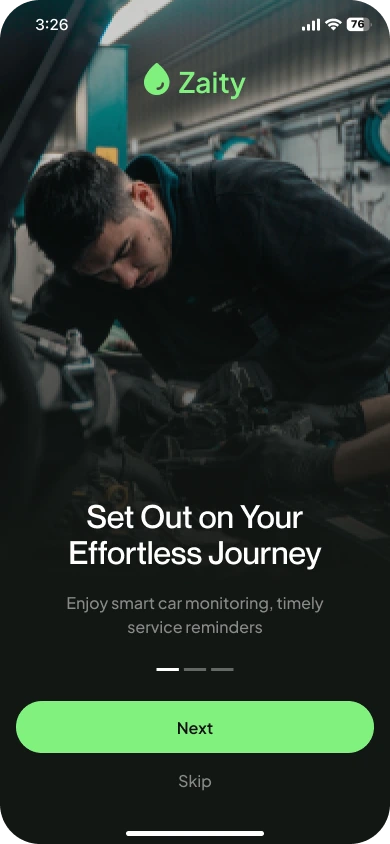
Onboarding in English 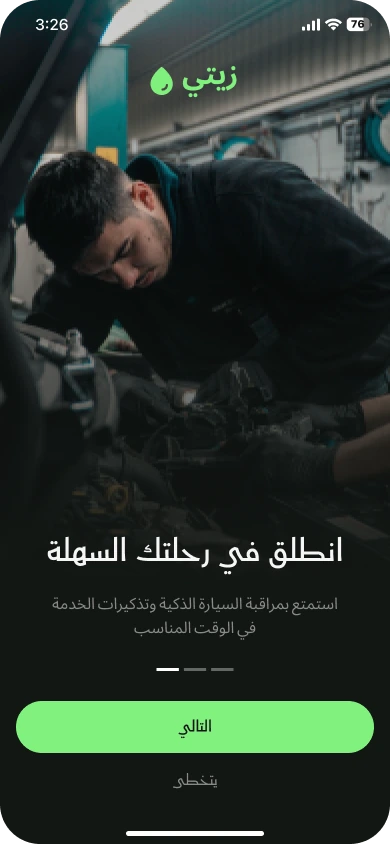
The same screen in Arabic, right to left
The structure
Four tabs, and every task close to hand
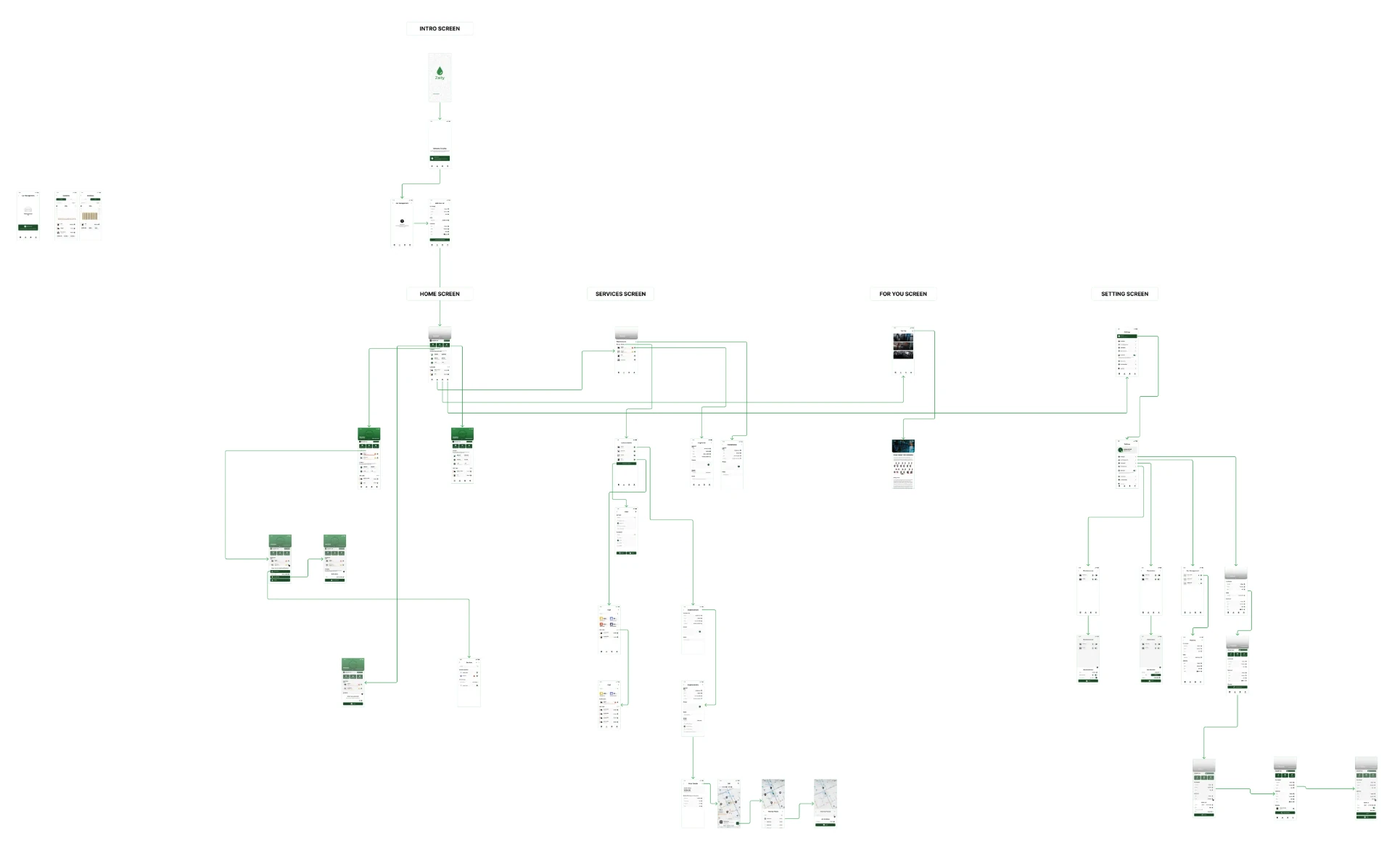
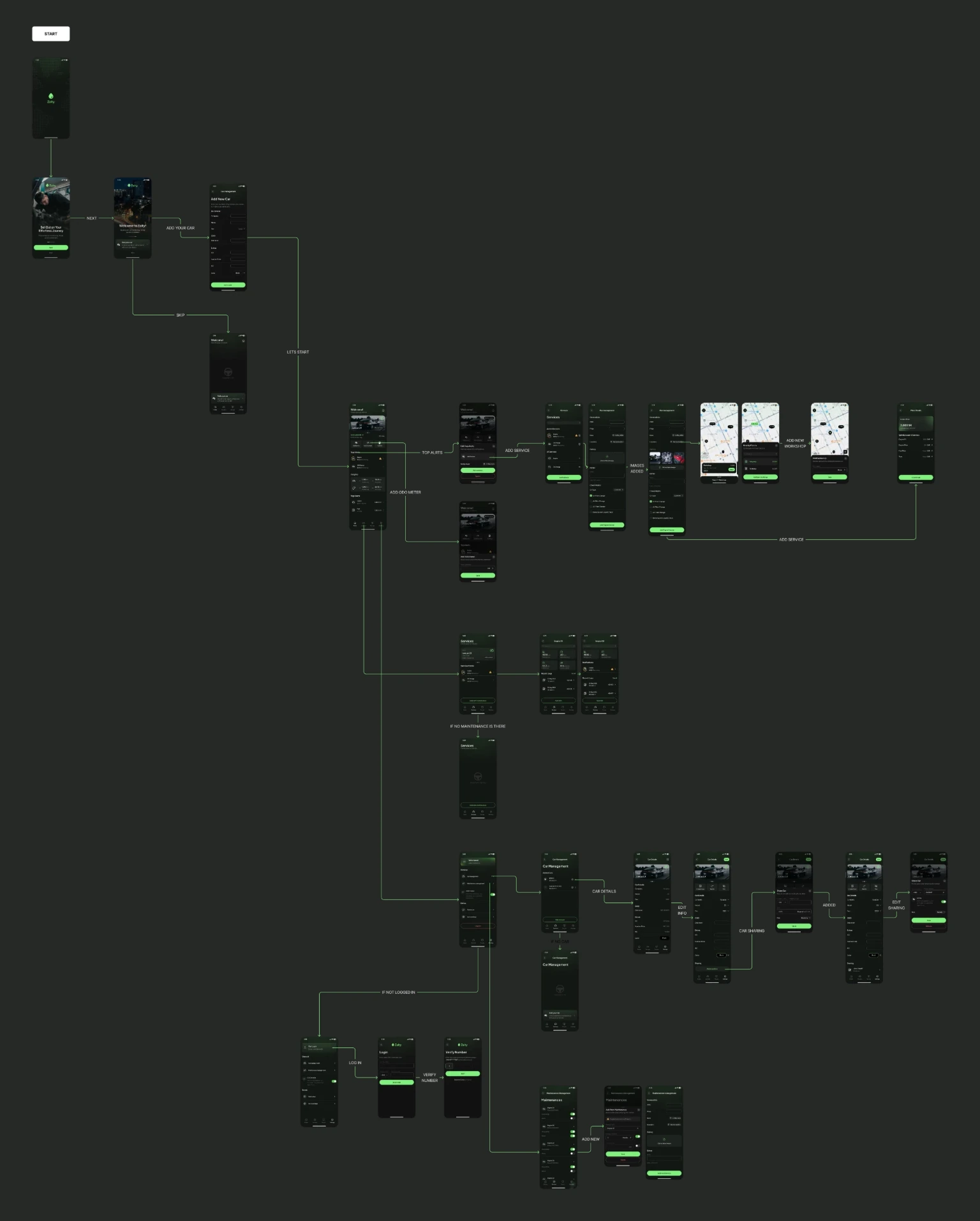
We mapped every journey before designing a single screen, then rebuilt the app around four tabs: Home for what needs attention today, Services for the history and cost of each job, For you for content picked for their car, and Settings for cars, maintenance plans and the account.
New drivers go from onboarding straight to adding their first car. Anyone without a car yet sees a helpful empty state instead of a blank screen. Drivers can start without an account and log in later with their phone number and a verification code to keep their data safe.
Quick tasks such as updating the odometer or setting a reminder open as bottom sheets over the current screen, so drivers never lose their place.
Home
What needs attention, before anything else
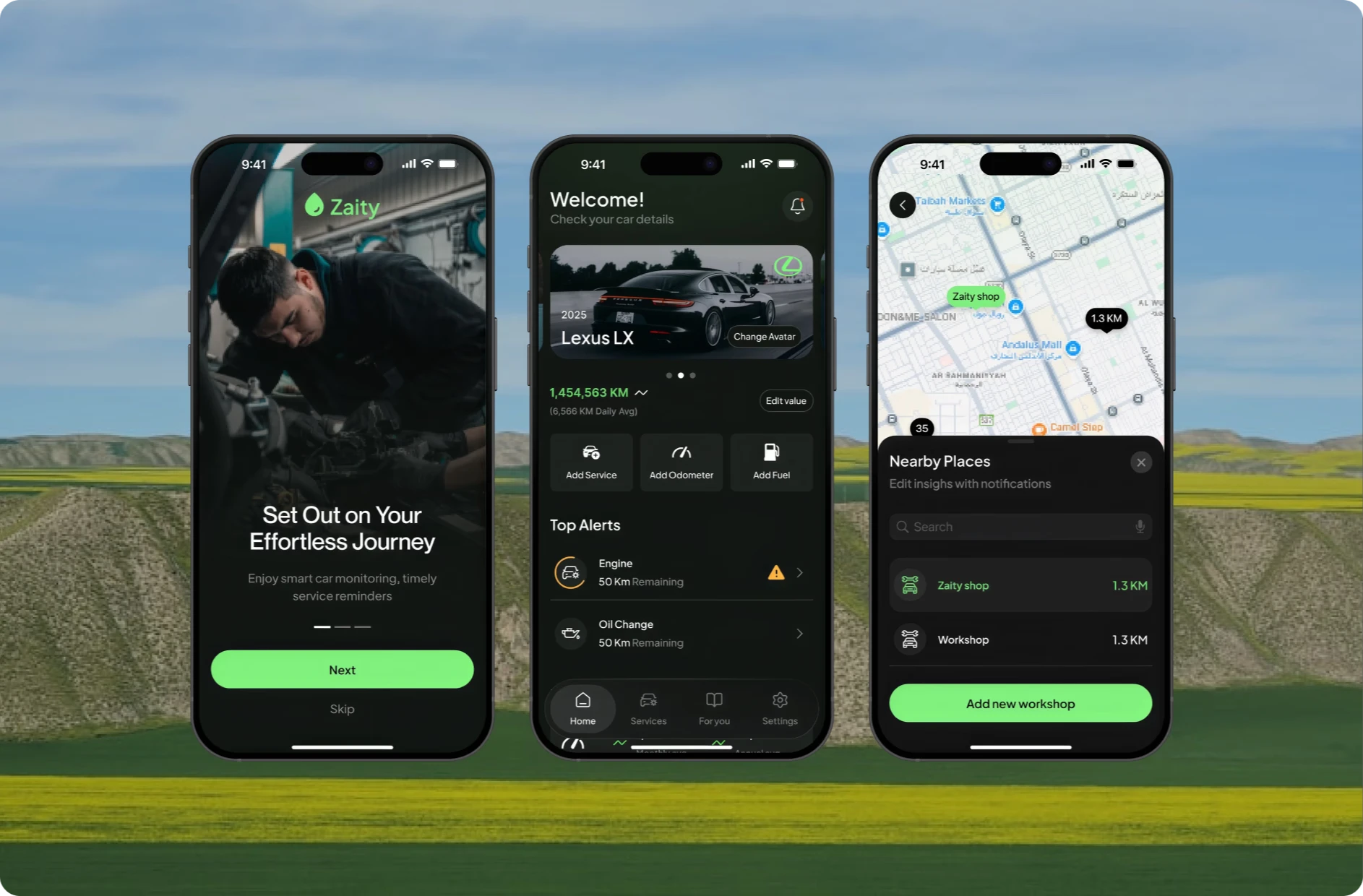
The home screen answers the questions drivers actually have. Each car sits in a swipeable card with its mileage and daily average, so the app can predict when the next service is due.
The three most common actions, Add Service, Add Odometer and Add Fuel, are one tap away. Top Alerts sits underneath, counting each service down in kilometres with a warning when one is close. Tapping an alert opens a sheet to set a reminder on a chosen date or ignore it.
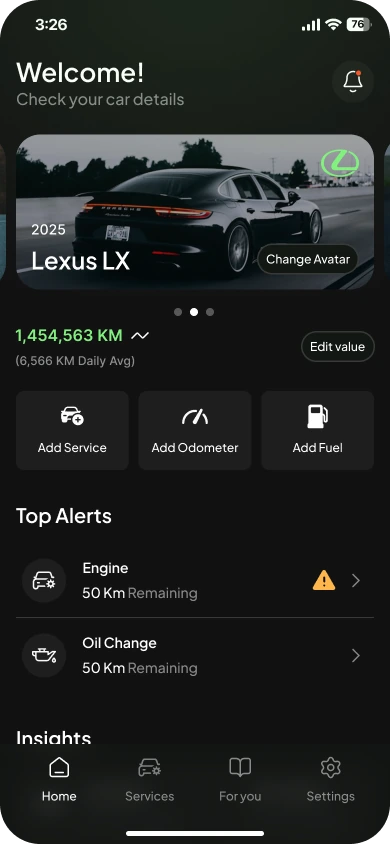
Home: car, mileage and top alerts 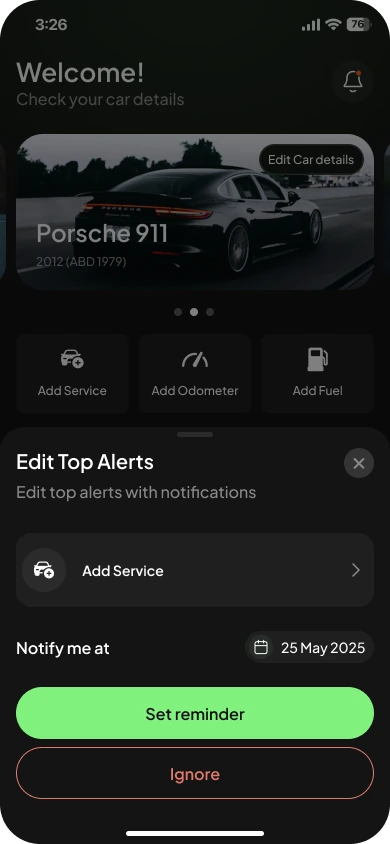
Set a reminder or ignore an alert
Logging a service
A complete service record in under a minute
Drivers pick a service from their active list or add a new one. The service form keeps everything a workshop visit produces in one place: OBD reading, price, date and location, photos of the receipt or the car, notes, and check points such as an oil filter or air filter change.
One invoice often covers several jobs, so the price can be split across services in Saudi riyals. The Price Details screen shows what is left to allocate before the bill is confirmed, which keeps the cost history for each service accurate.
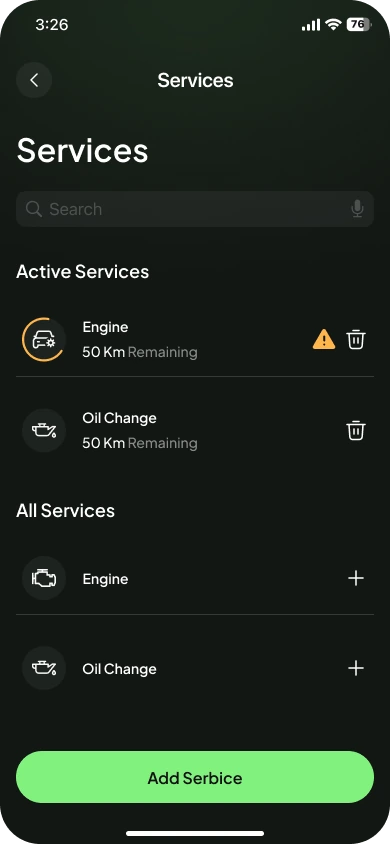
Choose or add a service 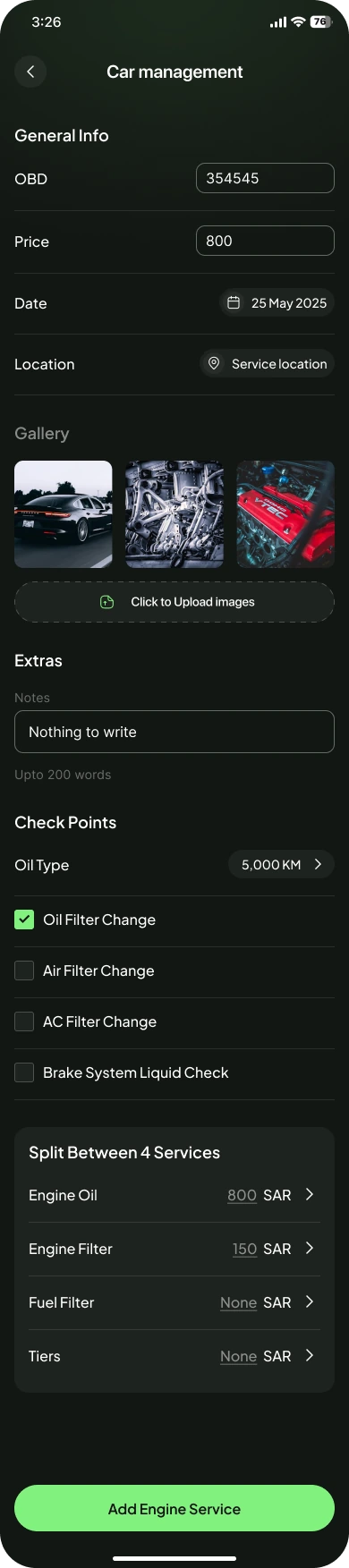
The full service form (scroll the screen) 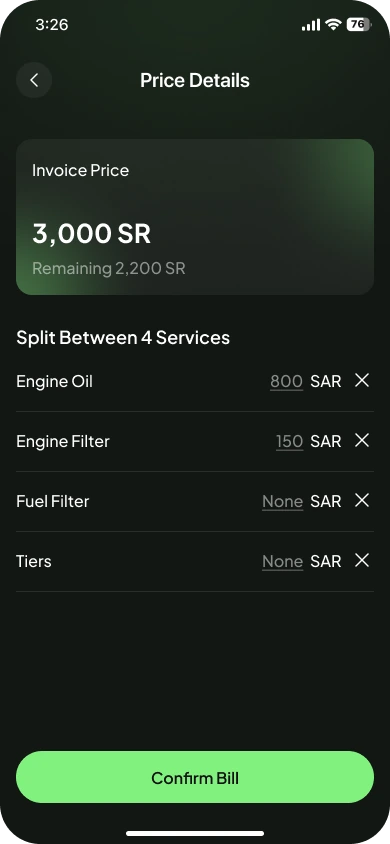
Split one invoice across services
Costs and insights
Know what each service really costs
Every log feeds back into insight. Each service has its own page with average cost, average time between services, and fuel economy in kilometres per litre and litres per 100 kilometres.
Recent logs sit underneath with date, odometer reading and price, so drivers can see at a glance whether costs are creeping up or a service is happening more often than it should.
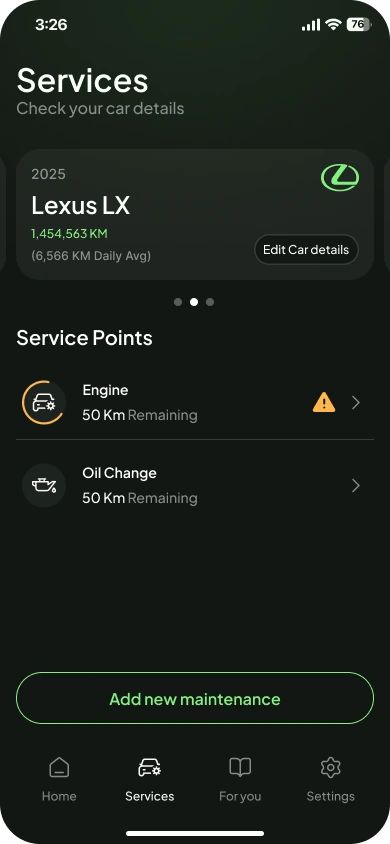
Service points for each car 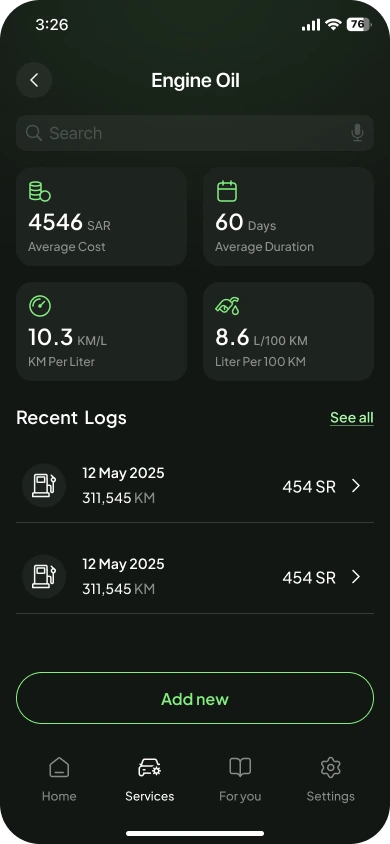
Engine oil: cost, interval and fuel economy
Workshops
Find a workshop nearby, on a map drivers know
Drivers can find workshops around them on a map of their own city, with distance, opening hours and the services each one offers. The results count sits at the bottom, and cards slide across the map so drivers can compare without leaving it.
Nearby Places lists workshops by distance, with Zaity shops highlighted, and drivers can add a workshop they already use so their service history stays complete.
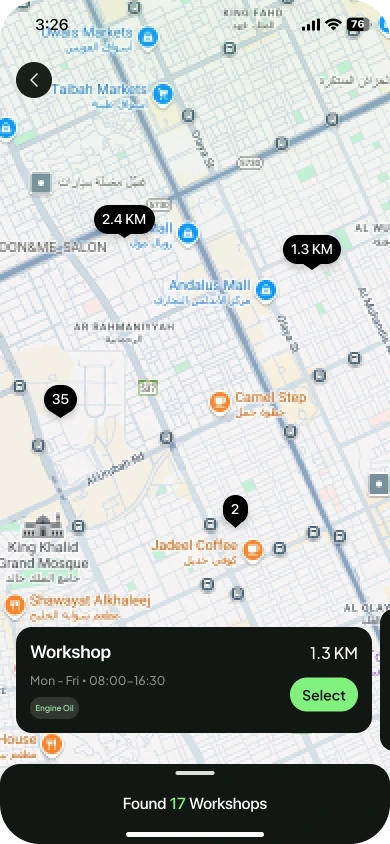
Workshops on the map, with hours and distance 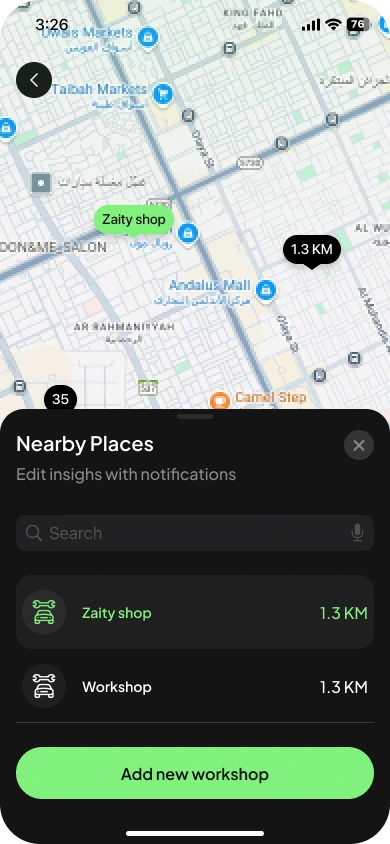
Nearby places, Zaity shops highlighted
Cars and settings
Every car and every preference, organised
Households often share more than one car, so Zaity handles several cars in one account. Car Management lists them with their mileage and lets drivers star a favourite, while each car keeps its own details, history and alerts.
Settings brings the account together: log in to keep data safe, manage cars and maintenance plans, and turn on ODO Auto, which estimates the odometer from the driver’s daily average so the numbers stay useful even when nobody updates them.
Cars can also be shared with family or a driver by phone number and a one-time code, with a choice of whether they can edit or only view.
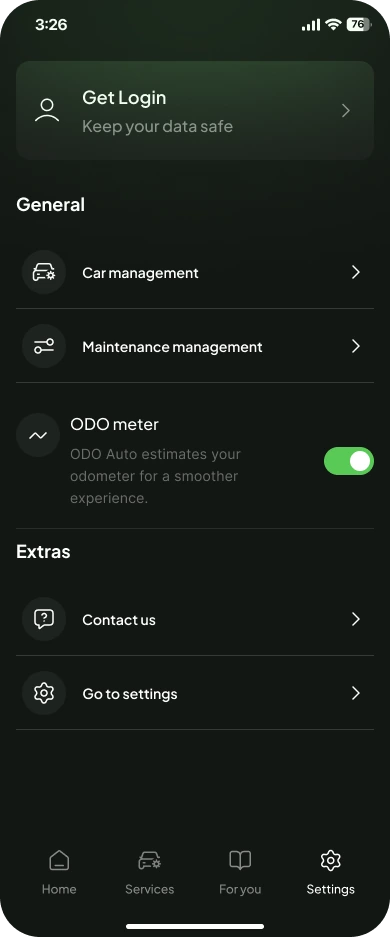
Settings with ODO Auto 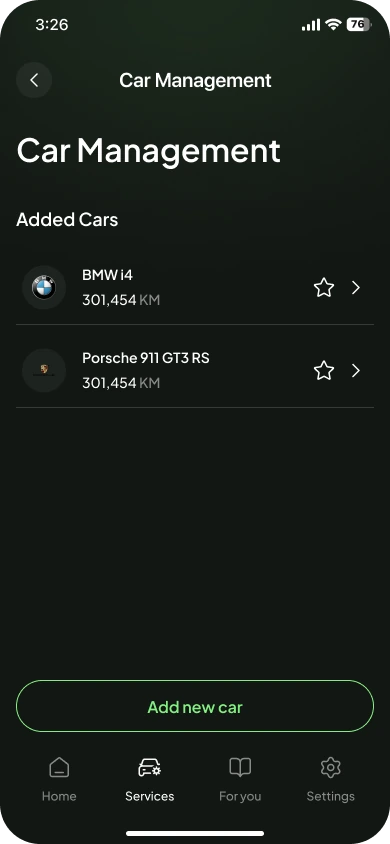
Several cars in one account 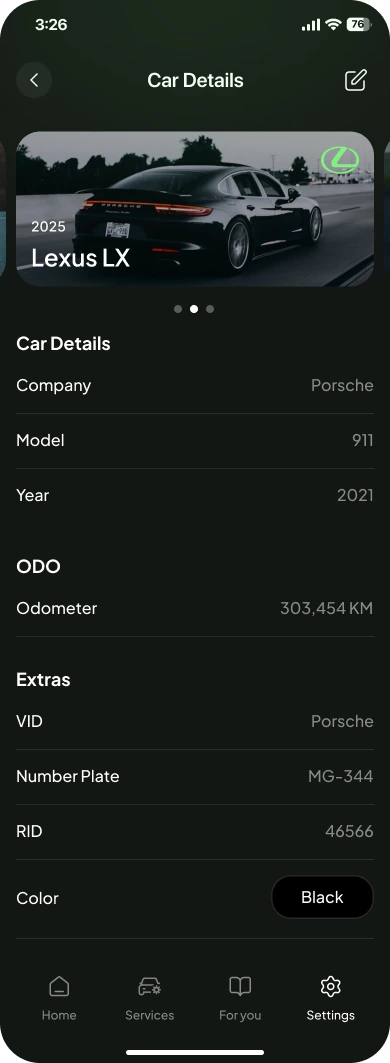
Everything about a car in one place
Maintenance plan
A maintenance plan that fits each car
No two cars need the same schedule. Maintenance Management lets drivers switch each service on or off and see how often it is due, so alerts only appear for what matters to their car.
Anything missing can be added as a custom maintenance item with its own price, date, location, photos and notes, using the same form pattern as a service log so there is nothing new to learn.
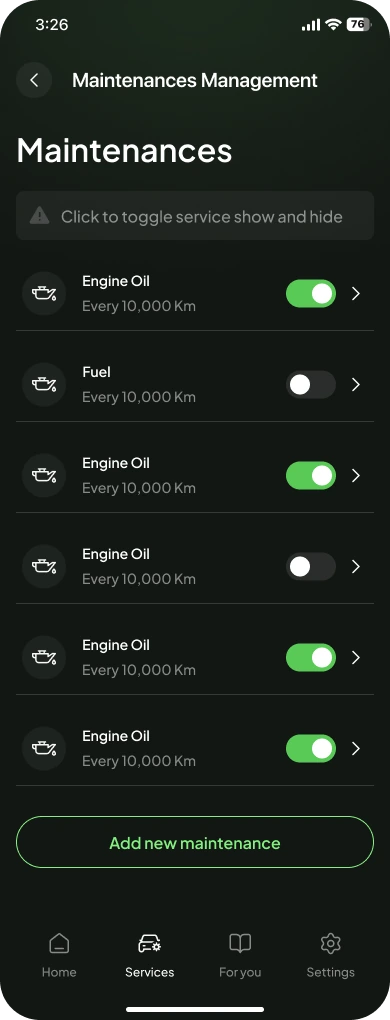
Turn services on or off 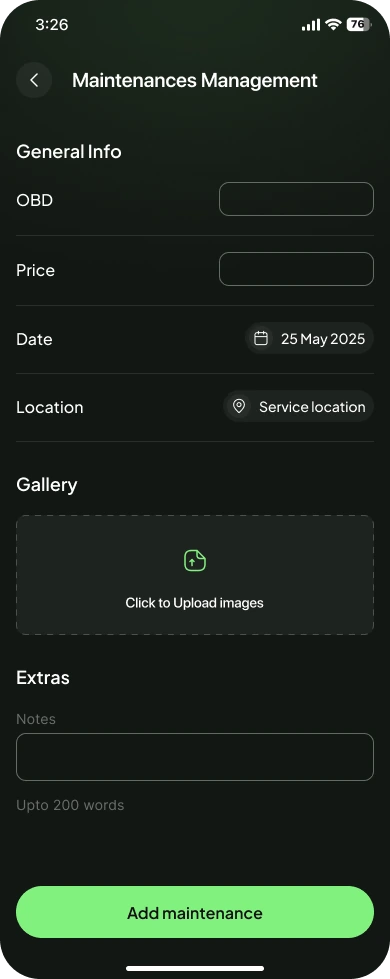
Add a custom maintenance item
The features
Everything a car needs, in one place
Behind the simple screens, Zaity keeps a complete record of each car, so drivers and workshops can see exactly what was done, when, and what it cost.
Service alerts
Each service counts down in kilometres, with warnings when one is due and reminders on the date the driver chooses.
Odometer and ODO Auto
Update the odometer in seconds, or let ODO Auto estimate it from the daily average to predict the next service.
Service logs with photos
Log a service with price, date, location, photos, notes and check points such as oil and filter changes.
Costs in riyals
Split an invoice across the services it covers and see average cost, duration and fuel economy for each one.
Nearby workshops
Find workshops on the map by distance and opening hours, with Zaity shops highlighted.
Several cars, one account
Switch between cars with a swipe, each with its own details, history and alerts.
Share a car
Invite family or a driver by phone number with a one-time code, and choose whether they can edit or only view.
Your own maintenance plan
Turn services on or off, set how often each is due, and add custom maintenance for anything the car needs.
The details
Every state designed, not just the happy path
Apps lose trust in the moments nobody designs: an error, a deleted car, a missing permission. We designed each of those states with the same care as the main screens, with a consistent illustration style and one clear action.
Turning off an alert asks for confirmation and explains what the driver will miss. Deleting a car warns that its history goes with it, with Cancel styled as the safe way out. Errors offer a way to try again, success confirms what happened, and permission messages tell a shared driver why they cannot make a change.
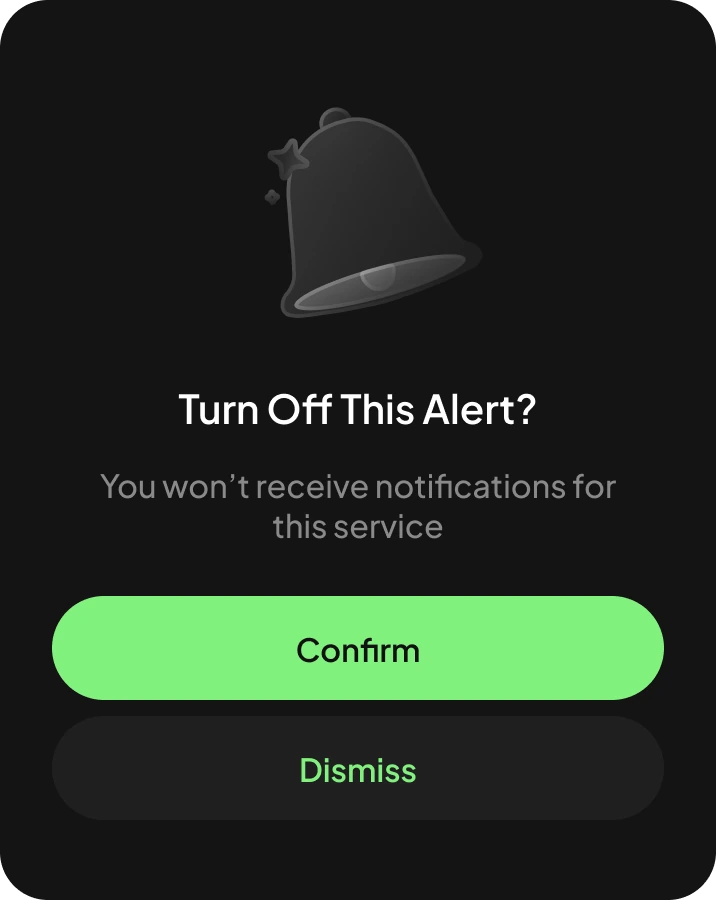
Confirm before turning off an alert 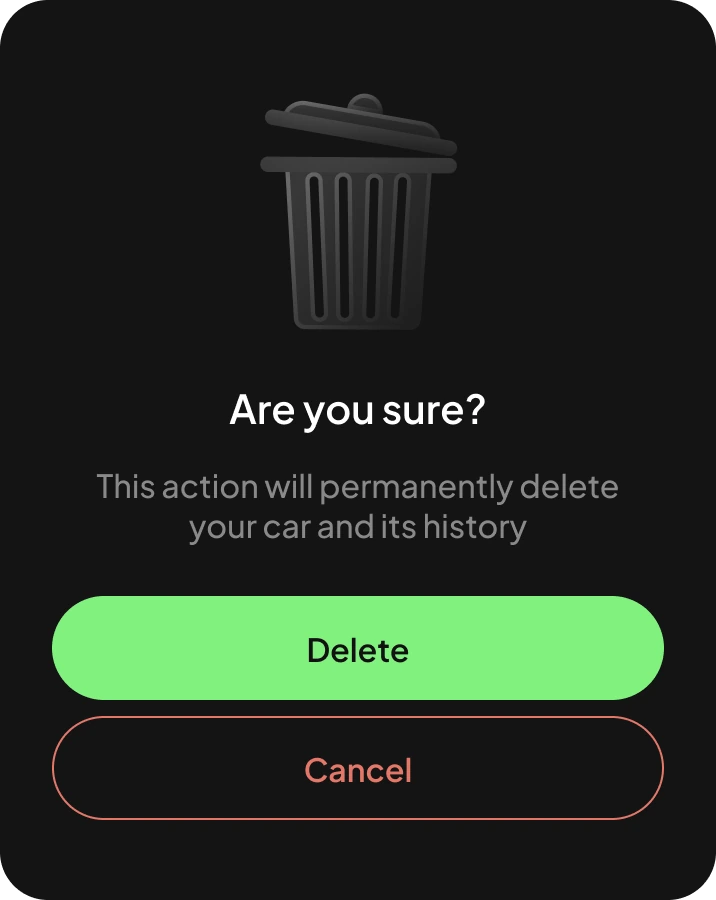
Warn before deleting a car 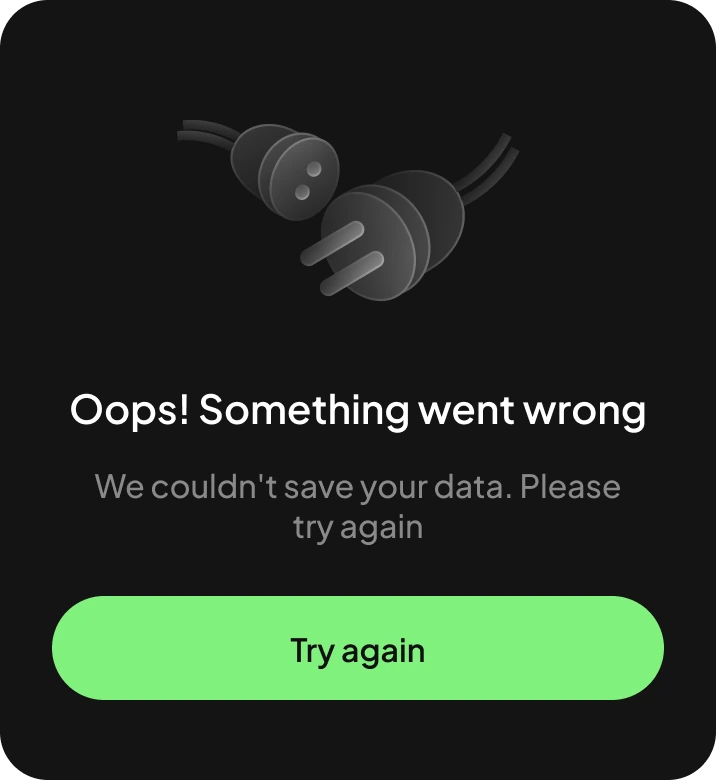
A clear way to recover from errors 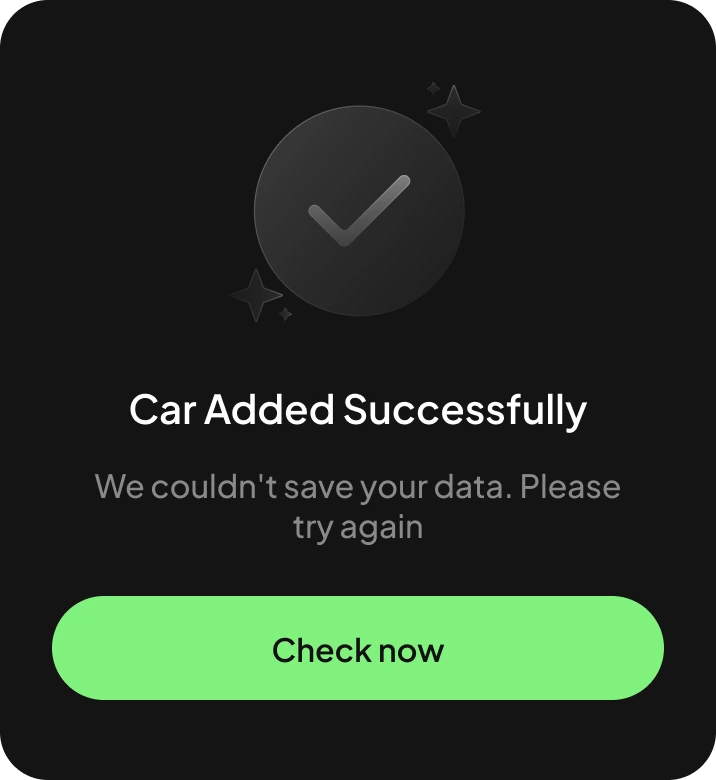
Confirm what just happened 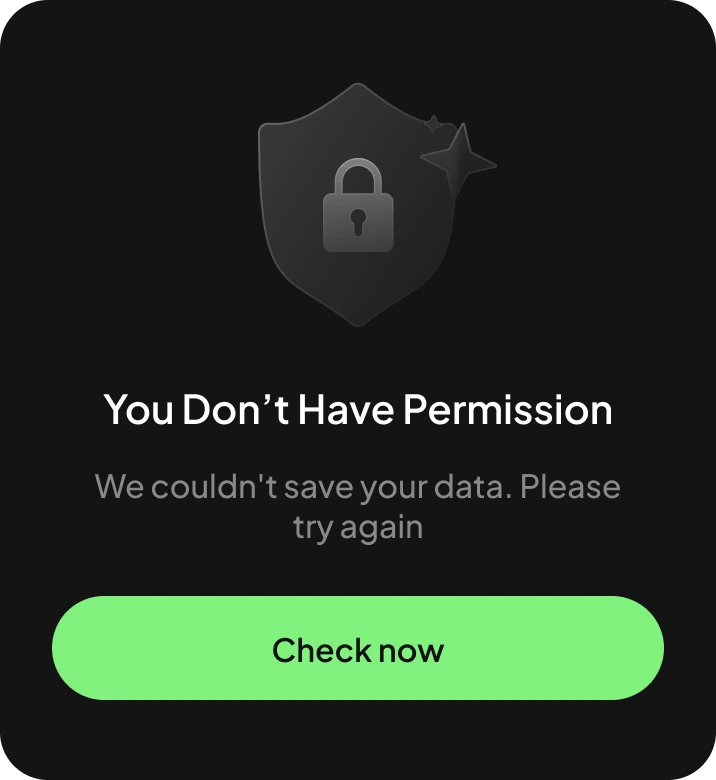
Explain missing permissions
The result
From zero to relaunch
Zaity went from an app that existed to a product ready to relaunch: a recognisable brand, a clear bilingual experience, and features shaped around how drivers in Saudi Arabia look after their cars.
The four-tab structure replaced long chains of pages, every key task is a tap or a bottom sheet away, and every state from first launch to an error has been designed.
The new design system and component library mean every new feature lands in English and Arabic at the same time, consistently, without redesigning screens one by one.
The app already existed.We gave it a new face and a market to win.
Have an app that needs a second launch?
Tegnol designs and builds mobile apps for iOS and Android from one Flutter codebase, including Arabic and right-to-left experiences for the Gulf market. Mobile app development starts from $2,000.
Be quick! Spots are almost gone for Oct

⚡ Only 3 project slots available in Q4 2026